
iPhone Location Permission Settings
How to Set Up Your Domicile365 iPhone Location Permission Settings
Introduction
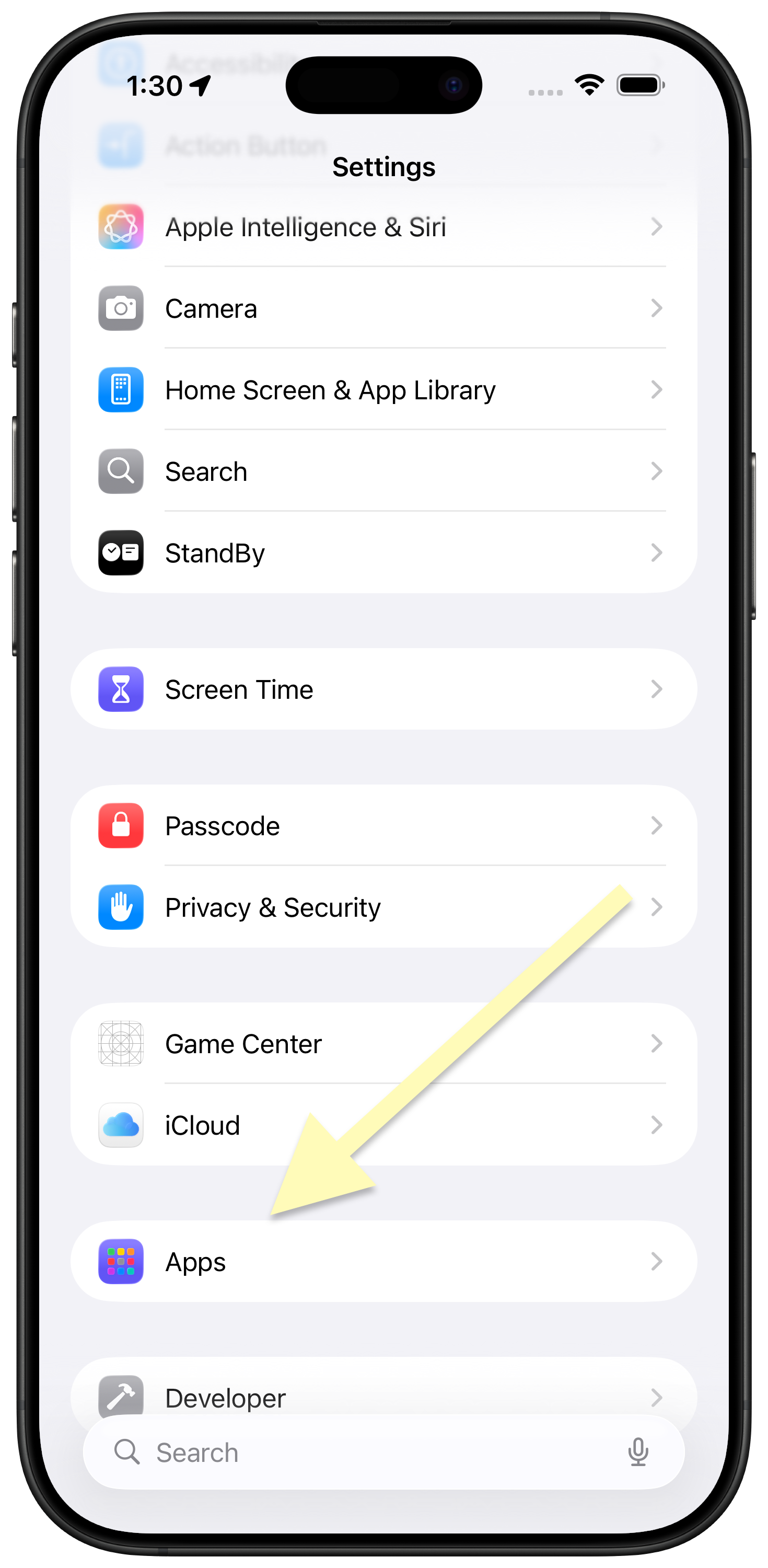
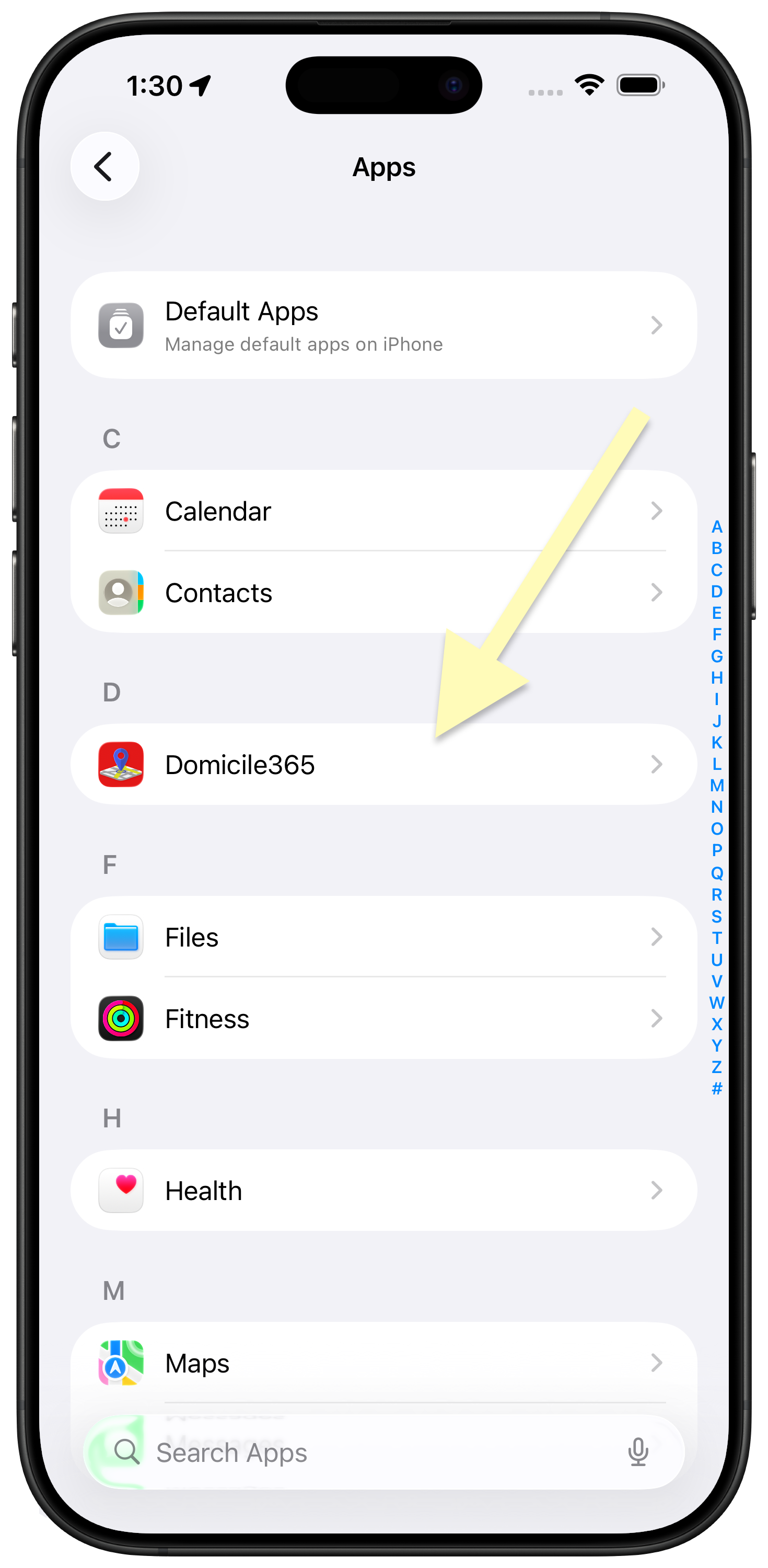
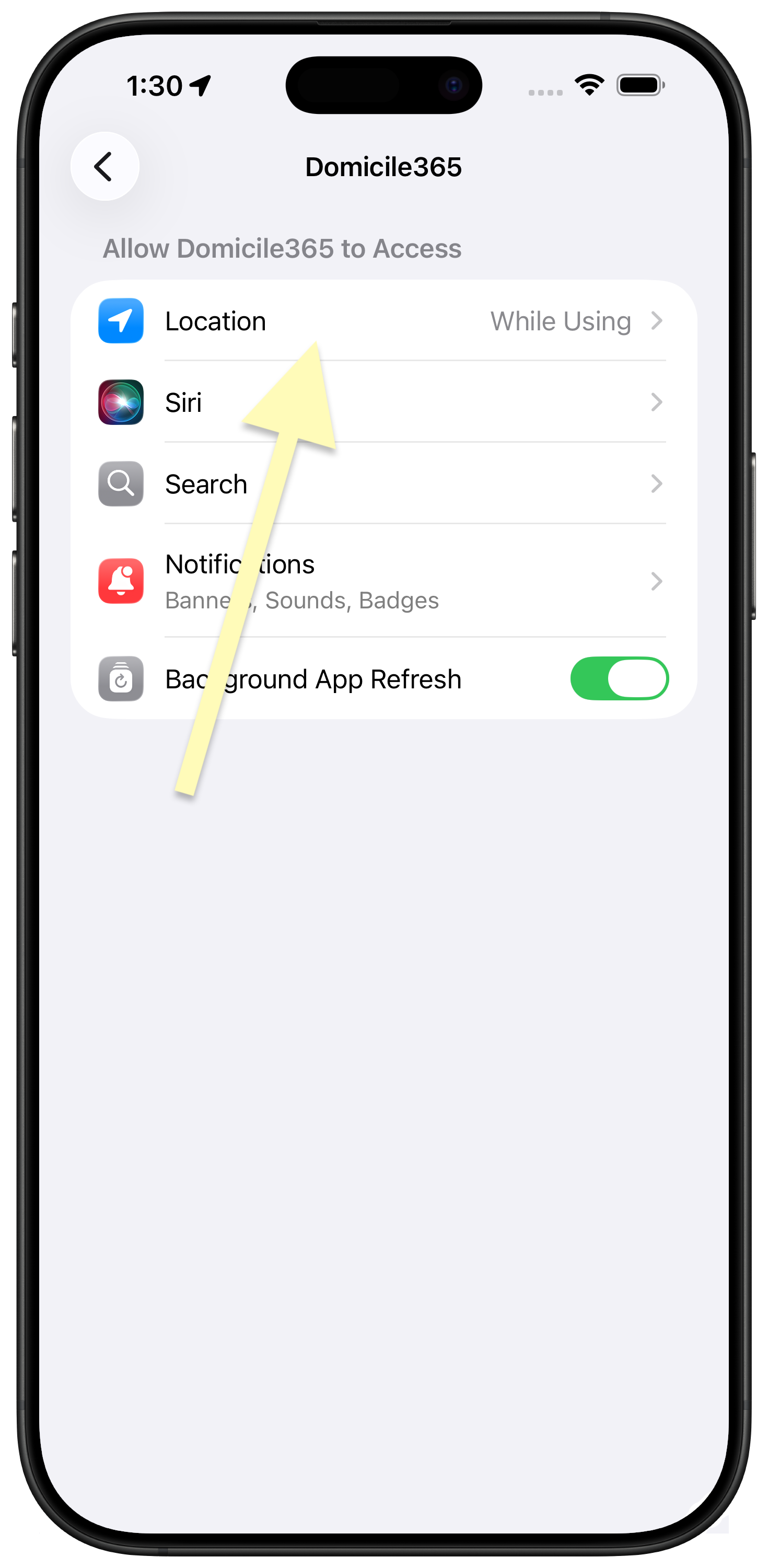
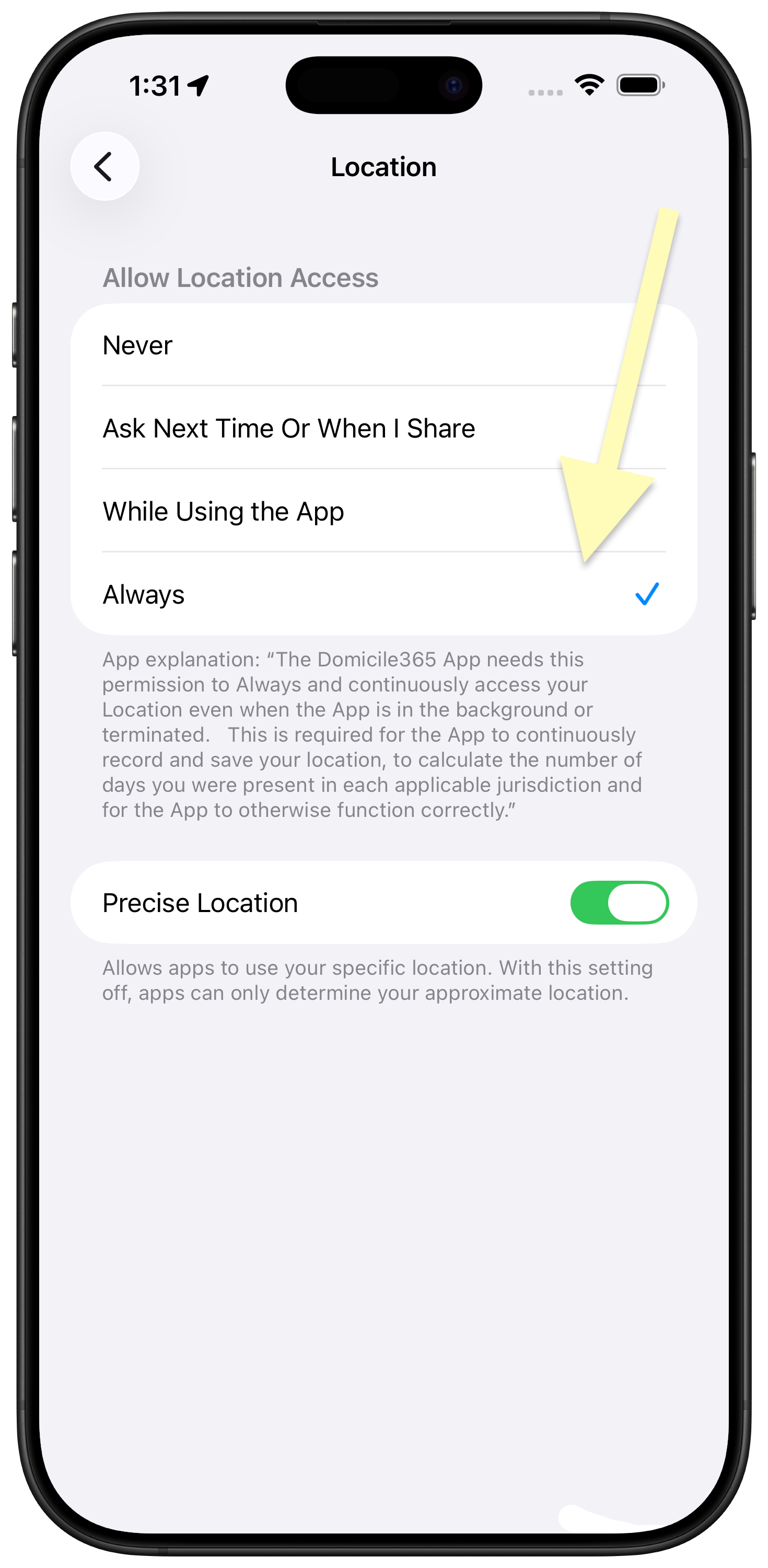
In order for the Domicile365 Day Count Tracking App to function correctly and automatically record your location, even if the App is in the background or closed, you must grant it "Always" allowed location permission. This is easy to do. Normally, the App will prompt you to do this in the ordinary course of using the App. However, on occasion you may inadvertently not grant the permission. Further, the iOS operating system may periodically ask you to reconfirm the permission grant. Below are screenshots and instructions on how to find and set this location permission.
If your permission has already changed back to "While Using the App," see If Your Permission Changes Back to "While Using the App" below.
Why Precise Location Matters
Apple allows you to share either your specific location or only an approximate location with each app. Domicile365 may still receive location updates when Precise Location is off, but those updates identify only a broader area. For a day-count application, that distinction matters: an approximate position may be insufficient to reliably distinguish nearby cities, states, or countries, particularly near jurisdictional borders.
Reduced precision can therefore cause a location to be assigned to a nearby jurisdiction, obscure a short border crossing, and provide less detailed support if your records are later reviewed. It does not necessarily mean tracking has stopped, so the problem may not be immediately obvious when reviewing whether the App is posting.
For the most reliable day-count record, select Always and leave Precise Location turned on under Settings > Apps > Domicile365 > Location. You can change this setting at any time. For more information, see Apple's location privacy guidance.
iOS periodically asks you to reconfirm that an app may continue using your location in the background. The prompt appears on its own, often over your home or lock screen, and shows how many times the App used your location along with a small map of recent background locations.
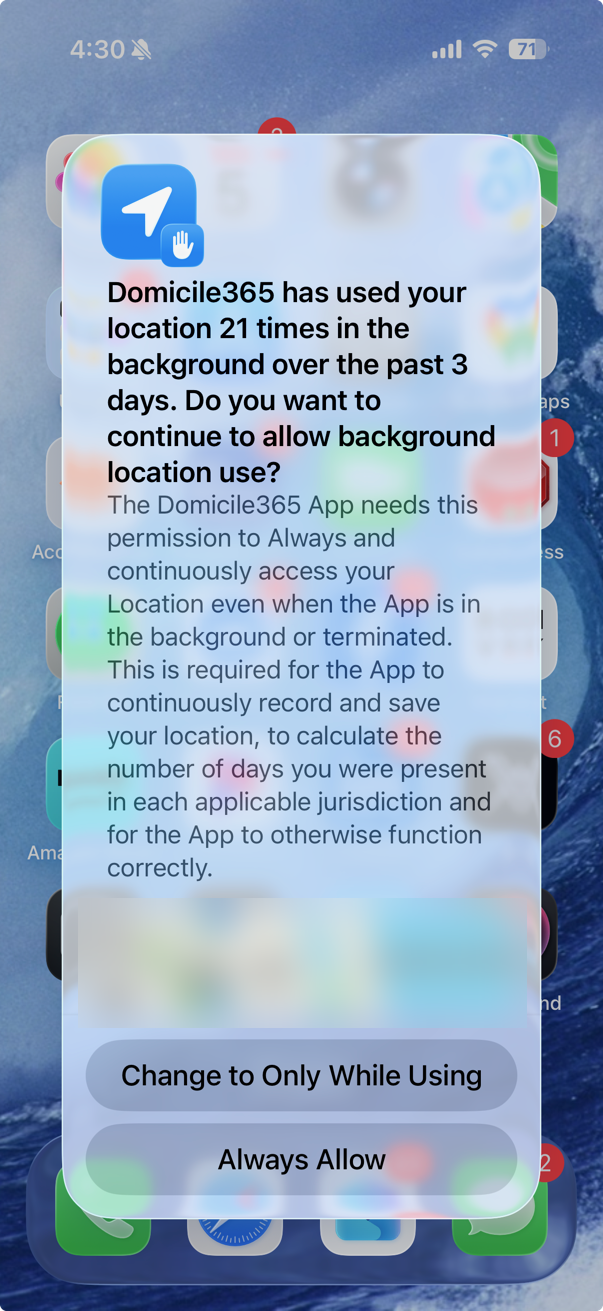
Tap "Always Allow."
Note that "Change to Only While Using" appears first, above it. Tapping the upper button by habit is the most common way this permission gets downgraded.
If you tap "Change to Only While Using," Domicile365 can only record your location while the App is open on screen. Automatic day counting stops, and it stays stopped until you change the setting back. This is normal iOS privacy behavior, not an App error, and it is easy to reverse using the four steps above.
Check Your Day Count for Missing Days
Because the App keeps running in the foreground, a permission change can go unnoticed for some time. After restoring the "Always" setting, review your day-count calendar for the period since the change and add any missing days or trips manually so your record remains complete.
If You Cannot Select "Always"
If the "Always" option is greyed out or will not stay selected, location changes may be restricted at the device level:
- Open Settings > Screen Time > Content & Privacy Restrictions. If that is on, tap Location Services under Privacy and confirm Allow Changes is selected.
- If your iPhone is issued or managed by an employer, a configuration profile may restrict location settings. Check with your IT administrator.
Still Not Recording in the Background?
If "Always" and Precise Location are both on and automatic day counting still is not working, email support@domicile365.com with your iPhone model and iOS version (Settings > General > About) and we will look into it directly.
Domicile365 is also available for Mac, Windows and Android. Running the App on a second device you travel with adds a corroborating record to your day count. See all Domicile365 apps.
Defend Your Residency Status
Don't rely on inadequate records. Use the Domicile365 App to create a defensible, GPS-based log of your location.
Sign up for a free 60-day trial and start tracking today.